

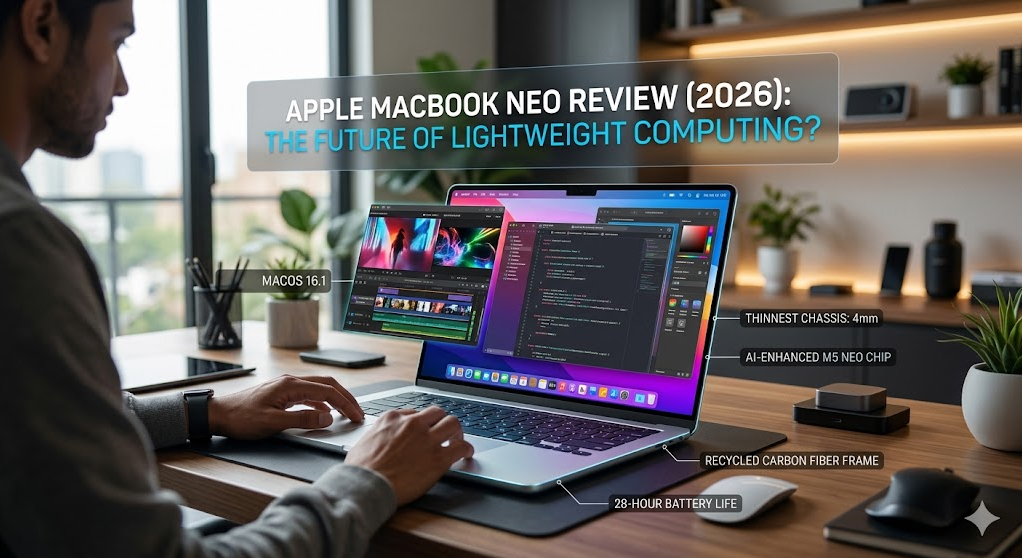
The Apple MacBook Neo, released in 2026, emerges as a hallmark of lightweight computing. Designed for professionals, students, and creatives seeking the balance of portability and power, this latest offering from Apple promises a robust experience in a sleek form factor. With the ever-growing demand for high-performance, ultra-portable laptops, the MacBook Neo positions itself as a potential frontrunner in the computing landscape.
In 2026, the MacBook Neo matters because it addresses the needs of an increasingly mobile workforce while maintaining the high standards associated with Apple's iconic design and ecosystem. The Neo is crafted for those who refuse to compromise on performance while on the move, offering a solution that caters to both work and leisure seamlessly.
By launching the MacBook Neo, Apple aims to address common concerns of modern-day users: battery life, processing power, and portability. This laptop promises not only to meet these expectations but to exceed them, providing users with an unparalleled computing experience.
- Superior portability without sacrificing power.
- Ideal for remote workers and frequent travelers.
- Seamless integration with Apple's ecosystem.
Table of contents
- Overview & first impressions
- Key features
- Specs at a glance
- Pros and cons
- Who should buy it — who should skip
- Tips, settings, and accessories
- Alternatives
- FAQs
- Verdict / final recommendation
Overview & first impressions
The first thing that strikes you about the Apple MacBook Neo is its elegant design. True to Apple’s design ethos, the Neo does not compromise on aesthetics, featuring an ultra-slim profile, minimalist lines, and a lightweight aluminum chassis. Weighing just under 2.5 pounds, it's remarkably easy to carry, making it ideal for those who are constantly on the go.
Upon opening the box, users will find the MacBook Neo, a USB-C charging cable, and a compact 30W power adapter. Apple includes a setup guide, making the initial configuration a breeze. Setting up the MacBook Neo is straightforward, as it effortlessly syncs with other Apple devices, thanks to its integration within the Apple ecosystem.
Our first impression affirms that Apple has meticulously considered every element to enhance user experience, starting from the unboxing to turning on the power button for the first time.
Key features
Retina Display
The MacBook Neo boasts a vivid Retina display that delivers stunning clarity and color accuracy. The screen is perfect for creative professionals, whether you're editing photos, designing graphics, or enjoying high-definition content.
Enhanced Battery Life
Recognizing the need for extended battery life, Apple has outfitted the MacBook Neo with an upgraded battery capable of up to 20 hours of use on a single charge—a significant feature for on-the-go users.
M1 Z Chip
The heart of the MacBook Neo is Apple's revolutionary M1 Z chip. It enhances performance with its 8-core CPU that handles intensive tasks while providing energy efficiency. Whether you’re multitasking or running demanding applications, the MacBook Neo handles everything with ease.
- Optimized power usage with breakthrough performance.
- Superior graphical capability with integrated 10-core GPU.
- Smooth operation with up to 16GB of unified memory.
Advanced Connectivity
Equipped with Thunderbolt 4 ports, the MacBook Neo supports fastest data transfer speeds, allowing for the connection of multiple devices and high-resolution displays. Additionally, Wi-Fi 6 ensures fast internet connectivity, minimizing latency and providing a seamless online experience.
Intuitive macOS
The MacBook Neo runs on macOS Monterey, bringing new features like Focus mode and enhanced privacy options, alongside seamless connectivity with iPads and iPhones through Universal Control.
Specs at a glance
| Feature | Details |
|---|---|
| Display | 13.3-inch Retina (2560 x 1600 pixels) |
| Processor | M1 Z chip with 8-core CPU |
| Graphics | Integrated 10-core GPU |
| Memory | 8GB, 16GB unified memory options |
| Battery Life | Up to 20 hours |
| Weight | 2.5 pounds |
Pros and cons
- Lightweight and ultraportable design
- Exceptional battery life
- Powerful performance with M1 Z chip
- Seamless ecosystem integration
- Retina display with stunning visuals
- Limited port options
- Higher price point compared to some competitors
- Repair costs can be high due to proprietary parts
Who should buy it — who should skip
The Apple MacBook Neo is an excellent choice for:
- Frequent travelers who need portability.
- Creative professionals requiring top-notch display quality.
- Students needing a dependable and versatile laptop.
- Apple ecosystem enthusiasts.
However, you might want to skip the Neo if you:
- Are on a tight budget seeking more affordable options.
- Require excessive peripheral connectivity options.
- Prefer customizable hardware configurations.
Tips, settings, and accessories
To make the most out of your MacBook Neo, optimize settings for battery performance by utilizing battery saver modes and managing background applications. Keep your macOS updated to benefit from the latest features and security improvements.
Recommended accessories include the Apple Magic Mouse for enhanced navigation and the Apple USB-C Digital AV Multiport Adapter to expand connectivity options, making it easier to hook up peripherals like projectors and external monitors.
Alternatives
While the MacBook Neo is remarkable, if you are considering alternatives, the Dell XPS 13 offers a solid Windows-based counterpart with comparable features. Alternatively, the HP Spectre x360 provides a convertible option with robust performance and versatility.
FAQs
What is the weight of the MacBook Neo?
The MacBook Neo weighs approximately 2.5 pounds, making it highly portable.
Does the MacBook Neo support external displays?
Yes, it supports external displays through Thunderbolt 4 ports, allowing high-resolution output.
How long does the battery last on a full charge?
The MacBook Neo can last up to 20 hours on a single charge, depending on use.
Does it come with a pre-installed operating system?
Yes, it comes with macOS Monterey pre-installed.
Can I upgrade the RAM on the MacBook Neo?
No, the RAM is soldered onto the motherboard and is not user-upgradable.
Is there any alternative for more connectivity options?
Yes, using accessories like the Apple USB-C Digital AV Multiport Adapter can expand your connectivity options.
Verdict / final recommendation
The Apple MacBook Neo truly stands out as a compelling choice for those eager to embrace the latest in lightweight computing, offering unparalleled portability without sacrificing power. Its impressive battery life and the seamless experience it provides within the Apple ecosystem enhance its appeal significantly.
- Ideal for those within the Apple ecosystem and needing portability.
- Excellent for creators and power users seeking top performance.
- A premium option that might not suit every budget.
We recommend the MacBook Neo for anyone whose needs align with Apple's offering and advise waiting for potential discounts if cost is a concern.
Extended Use Cases
The Apple MacBook Neo is not just a laptop for everyday tasks; it excels in a range of professional and creative environments. Thanks to its powerful M1 Z chip, it's exceptionally well-suited for resource-intensive applications such as video editing, graphic design, and software development. Creative professionals will appreciate the crisp Retina display that offers vibrant color fidelity crucial for detailed design and media projects.
For business professionals, the MacBook Neo provides reliable performance during virtual meetings and presentations. The enhanced battery life also ensures that long video calls or work sessions won't require frequent recharging. Additionally, thanks to the dual Thunderbolt 4 ports, the Neo supports quick file transfers and connections to external monitors, making it a great portable workstation.
Long-term Ownership Notes
Owning an Apple MacBook Neo over a long period is likely to be a positive experience, thanks to Apple's reputation for durability and software support. With macOS's periodic updates, users can expect new features that enhance their computing experience and maintain high security standards. Another factor in its favor is the resale value: Apple products historically retain value well, making the Neo a wise investment.
In terms of longevity, the build quality ensures endurance through years of usage. The robust aluminum chassis not only provides protection but also maintains the elegant aesthetics Apple is known for. One downside is Apple’s repair costs, which can be high; however, Apple's customer service and comprehensive warranty options often offset these concerns.
FAQs - Extended Insights
What are the maintenance tips for preserving the battery life?
To optimize the MacBook Neo's battery life, use the battery saver mode and adjust screen brightness according to the environment. Regularly closing unused programs and disconnecting unnecessary peripherals also helps maintain the battery. Additionally, aim to keep the battery in a cool, dry place to prevent overheating.
How does the Neo handle gaming?
While the MacBook Neo isn't marketed as a gaming laptop, the integrated 10-core GPU provides enough power for many Mac-compatible games. However, more graphics-intensive games might perform better on systems specifically designed for gaming or with dedicated graphics cards.
Troubleshooting and Common Issues
Common issues with the MacBook Neo might involve connectivity and hardware integration due to its limited ports. Troubleshooting typically involves checking cable connections or using additional adapters, such as the aforementioned Apple USB-C Digital AV Multiport Adapter. If the laptop isn't charging, verifying the power source and inspecting the condition of the USB-C charger is advised.
For software-related hiccups, like operating system bugs or app crashes, keeping the MacBook updated with the latest macOS version significantly reduces the chance of issues. Apple's support community and online forums also offer a wealth of solutions for typical user problems.
Recommended Accessories
Complement the MacBook Neo with accessories that enhance its functionality. The Apple Magic Keyboard is a great addition for those who frequently type for extended periods, offering a comfortable and silent typing experience.
For creative professionals, investing in an external 4K monitor, such as the LG UltraFine 4K Display, can make a significant difference by expanding your workspace and offering greater detail for design work. Additionally, consider the Bose Noise Cancelling Headphones 700 for an immersive audio experience during both work and leisure time.
Extended Verdict
The Apple MacBook Neo continues the legacy of Apple's innovative design and technological leadership. Its blend of portability, robust performance, and seamless integration into the Apple ecosystem makes it an excellent choice for users who prioritize cutting-edge technology and design.
Despite its higher price point, the satisfaction derived from its powerhouse performance and elegant design justifies the investment for many. Those committed to the Apple ecosystem will find the Neo indispensable, while others might consider it based on specific needs for mobility without compromising on power. All potential buyers can rest assured that the Neo embodies the future of computing while retaining the high standards expected of Apple.





No comments yet. Be the first to comment!